Market Trends
How to Collect Rent Online from Tenants in India


Written by
Ishika Pannu
Read Time
7 min read
Posted on
February 14, 2026
Overview
Overview
How to Collect Rent Online from Tenants in India
Collecting rent should be predictable. But for many landlords and PG owners, it’s still manual, time-consuming, and inconsistent.
If you’re following up with tenants every month, checking bank statements manually, partial payments, and managing excuses around delays, you’re not alone.
This guide will show you:
- The problems with manual rent collection
- The best online rent payment options available today
- How to set up an online rent payment system step by step
- Common mistakes to avoid
- How to automate reminders
- What a fully automated rent collection workflow looks like
If your goal is to reduce late payments, save time, and bring structure to your operations, this is for you.
Manual Rent Collection Problems
Before moving online, it’s important to understand what exactly you’re solving.
Most landlords face at least one of these issues:
1. Constant Follow-Ups
You end up sending:
- “Reminder” messages
- Screenshots of dues
- Payment requests individually
And often, you must follow up more than once.
This eats up time and affects professionalism.
2. Unclear Payment Tracking
When tenants pay via:
- Cash
- Direct bank transfer
- Multiple UPI IDs
You’re forced to:
- Cross-check statements
- Match names manually
- Verify amounts
Errors become common, especially with 10+ tenants.
3. Partial or Delayed Payments
Without a structured system:
- Tenants pay late
- Tenants pay in parts
- You forget to add late fees
- Dues keep rolling forward
Over time, this affects cash flow stability.
4. No Visibility of Outstanding Dues
When you don’t have a centralized dues dashboard:
- You don’t know total pending amount instantly
- You can’t see who consistently pays late
- You can’t forecast next month’s cash inflow
Manual systems don’t scale. Online systems do.
Online Rent Payment Options (UPI, Bank, Payment Links)
There are multiple ways to collect rent online. The right option depends on scale and structure.
1. UPI Transfers
Tenants pay using:
- UPI ID
- QR code
- Phone number linked to UPI
Pros:
- Fast
- Widely used
- No friction for tenants
Cons:
- No automatic tracking
- Manual reconciliation required
- No auto-reminders
Best for: Very small setups (2- 5 tenants)
2. Direct Bank Transfer (NEFT/IMPS)
Tenants transfer rent to your bank account.
Pros:
- Reliable
- Direct deposit
Cons:
- Hard to track payer names
- No automatic confirmation
- No system-level visibility
Again, reconciliation remains manual.
3. Payment Links
You send tenants:
- Monthly payment links
- WhatsApp or SMS payment requests
Pros:
- Structured
- Easier tracking
- Faster confirmation
Cons:
- You still have to generate links manually
- No automated recurring flow
Better than raw UPI, but still semi-manual.
4. Online Rent Payment System (Recommended)
This is where platforms like RentOk come in.
Instead of:
- Asking tenants to remember dates
- Sending reminders manually
- Tracking payments in Excel
You use a system where:
- Rent is auto-generated every month
- Tenants receive automatic payment reminders
- Payment links are auto-created
- Dues are tracked in real time
This is scalable and professional.
Step-by-Step Setup: How to Collect Rent Online Properly
If you’re shifting from manual to digital collection, follow this structured approach.
Step 1: Organize Tenant Data
Before using any system, ensure you have:
- Tenant full name
- Phone number
- Room/bed number
- Monthly rent amount
- Security deposit details
- Rent due date
Without clean data, even the best software won’t help.
Step 2: Decide Your Collection Model
Choose:
- Fixed rent date (e.g., 5th of every month)
- Late fee structure (e.g., ₹100 per day)
- Grace period (if any)
Consistency reduces disputes.
Step 3: Set Up an Online Rent Collection System
Instead of:
- Sharing personal UPI IDs
- Accepting random transfers
Set up a proper rent collection platform.
Inside the system, you should be able to:
- Add tenants
- Assign rent amounts
- Define due dates
- Enable online payments
- Track payment status
(You can internally link this section to your Rent Collection Page.)
Step 4: Enable Online Payment Methods
Make sure tenants can pay via:
- UPI
- Bank transfer
- Payment links
- Cards (if enabled)
The easier you make it, the fewer excuses you’ll hear.
Step 5: Activate Automated Reminders
This is where most landlords fail.
Even if you collect online, if reminders are manual, delays continue.
Your system should send:
- Pre-due reminders
- Due date reminder
- Post-due reminder
- Late fee alert
Automation reduces emotional follow-ups.
Step 6: Monitor Dues in One Dashboard
You should be able to see:
- Paid tenants
- Partially paid tenants
- Unpaid tenants
- Total outstanding amount
(Internally link here to your Dues Page.)
This gives instant clarity.
Common Mistakes When Collecting Rent Online
Going digital doesn’t automatically solve problems. Here’s what to avoid:
1. Accepting Multiple Random Payment Channels
If tenants can pay to:
- One UPI ID
- Another bank account
- A manager’s account
- Cash occasionally
You lose control.
Standardize payment channels.
2. Not Setting Clear Due Dates
If some tenants pay on 1st, others on 7th, others on 10th, your tracking becomes chaotic.
Fix one due date per property (or define structured cycles).
3. No Late Fee Enforcement
If late fees are:
- Mentioned but not applied
- Applied inconsistently
- Negotiated every month
Tenants won’t take deadlines seriously.
Automation ensures uniformity.
4. Not Automating Monthly Rent Generation
If you manually create dues every month, you risk:
- Forgetting to generate rent
- Entering wrong amounts
- Missing late fees
Recurring automation eliminates this.
5. No Written Digital Record
When payments are tracked in:
- WhatsApp chats
- Excel sheets
- Notebook registers
Disputes become common.
A centralized system protects both you and the tenant.
Automating Rent Reminders: Why It Changes Everything
Manual reminders are:
- Emotional
- Time-consuming
- Inconsistent
Automated reminders are:
- Neutral
- Timely
- Professional
What Good Reminder Automation Includes
- Pre-due notification (2–3 days before)
- Due-day reminder
- Daily late reminder (if unpaid)
- Late fee auto-application
When tenants know reminders are automated, compliance improves.
You also:
- Save hours every month
- Reduce awkward conversations
- Improve collection rate
What a Fully Automated Rent Collection Workflow Looks Like
Let’s compare.
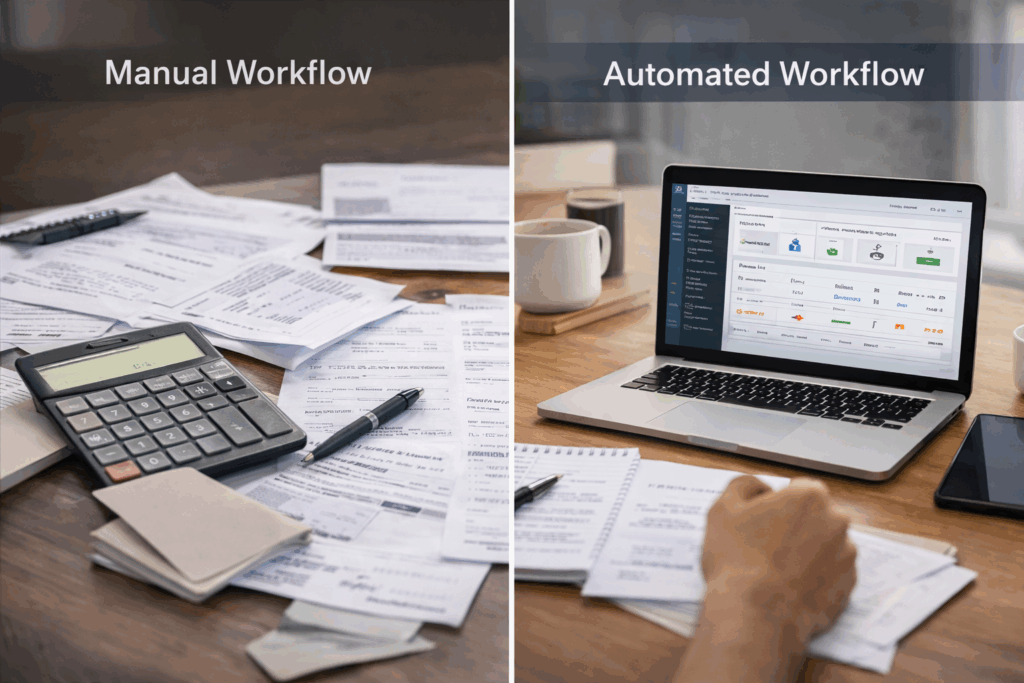
Manual Workflow
- You remember rent date
- You message tenants
- Some pay
- You follow up again
- You check bank statement
- You update Excel
- You calculate late fee manually
This repeats every month.
Fully Automated Workflow
- Rent auto-generated on fixed date
- System sends reminder automatically
- Tenant receives payment link
- Tenant pays online
- Payment auto-recorded
- Dues dashboard updates in real time
- Late fees auto-applied (if configured)
No Excel.No emotional follow-ups. No manual tracking.
This is how scalable rental businesses operate.
Benefits of Collecting Rent Online
When done properly, online rent collection gives you:
1. Predictable Cash Flow
You know:
- Expected income
- Outstanding dues
- Payment patterns
Forecasting becomes easier.
2. Reduced Late Payments
Automation + clear due dates = fewer delays.
3. Professional Image
Tenants view you as:
- Organized
- Structured
- Business-oriented
Not informal.
4. Easier Scaling
Managing:
- 10 tenants manually is manageable
- 50 tenants manually is stressful
- 100+ tenants manually is chaos
Digital systems allow scale without chaos.
How to Transition Smoothly from Manual to Online
If you’re worried tenants won’t adapt, follow this:
1. Announce Clearly
Send a message explaining:
- From next month, rent will be collected online
- Due date remains the same
- Payment link will be shared automatically
Clarity prevents confusion.
2. Give a One-Month Adjustment Window
For the first month:
- Guide tenants if needed
- Answer payment-related questions
- Ensure no friction
After that, stick to the system.
3. Enforce One Standard Method
Don’t allow:
- “I’ll pay cash this month”
- “I’ll transfer later”
Consistency builds discipline.
Is Online Rent Collection Safe?
Yes, if you use verified platforms.
Ensure:
- Payments go directly to your bank account
- Tenant data is secure
- Transactions are recorded automatically
Avoid sharing personal account details publicly.
Use structured systems instead.
How to Choose the Right Online Rent Payment System
Before selecting a platform, check:
- Can it auto-generate monthly rent?
- Does it track partial payments?
- Does it apply late fees automatically?
- Can tenants pay via UPI easily?
- Is there a dues dashboard?
- Can it scale with 50+ tenants?
If the answer to most of these is “no,” it’s not a long-term solution.
Final Thoughts
Collecting rent online isn’t just about convenience.
It’s about:
- Structure
- Predictability
- Professionalism
- Scalability
If you’re still:
- Sending manual reminders
- Checking bank statements daily
- Updating Excel sheets every month
It’s time to upgrade your process.
Free Resource: Rent Collection Checklist
If you want to audit your current rent collection process, download our Free Rent Checklist.
It will help you:
- Identify gaps in your current system
- Standardize due dates
- Define late fee rules
- Move toward automation step by step
Ready to Automate Your Rent Collection?
If you want to:
- Stop manual follow-ups
- Reduce late payments
- Track dues in one dashboard
- Scale your rental operations smoothly
Book a demo and see how a structured rent collection system can transform your monthly workflow.
Book a Demo Today.
About the Author
Ishika Pannu
Ishika Pannu brings you the latest insights and easy-to-apply strategies in property management—helping you simplify renting and grow with RentOk.