Tech
Credit Card Rent Payments Have Changed: How to Pay Rent Now

Written by
Ishika Pannu
Read Time
11 min read
Posted on
October 30, 2026
Overview
Overview
Credit Card Rent Payments Have Changed: How to Pay Rent Now
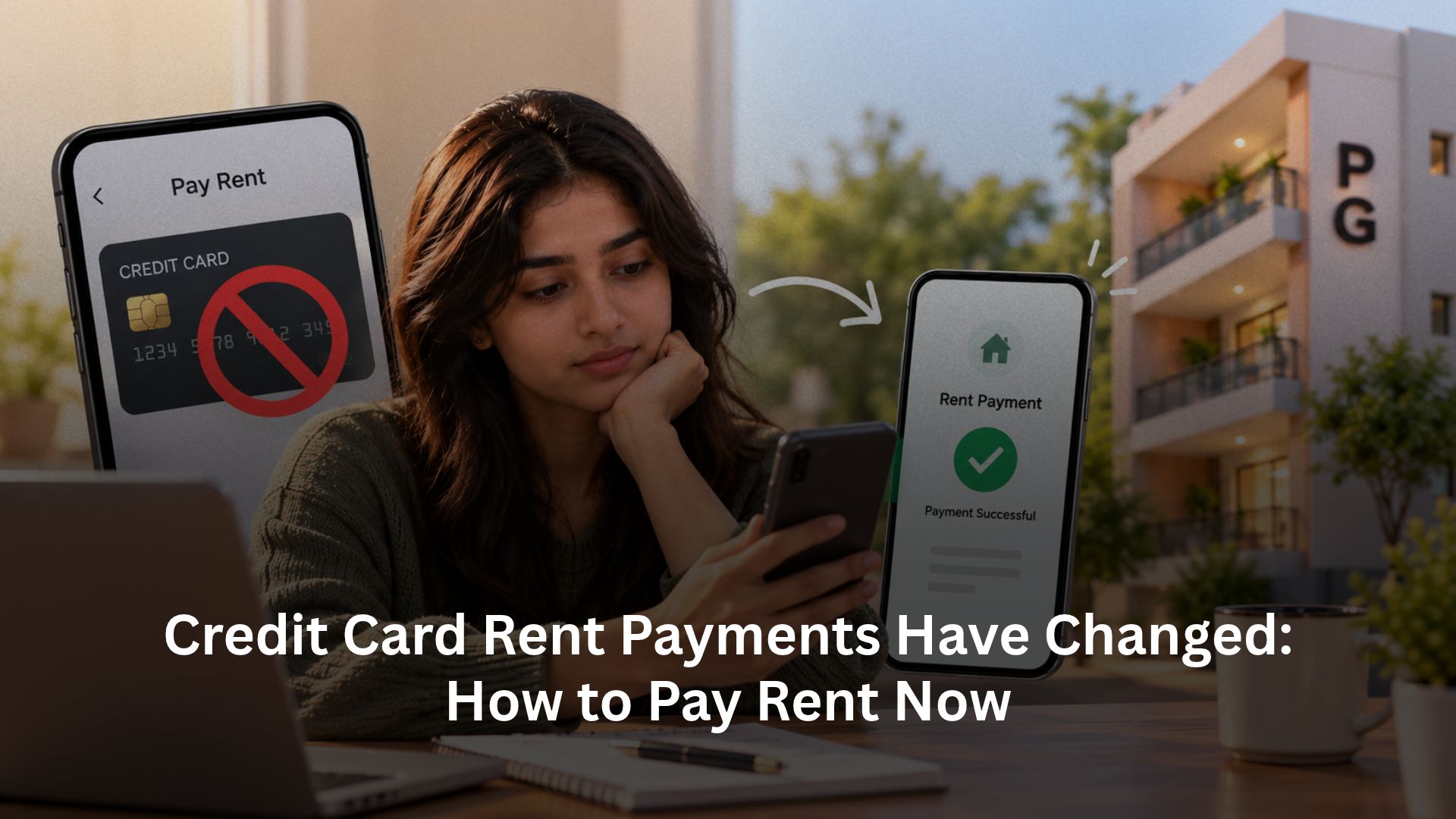
If you used to pay rent with a credit card through an app, losing that option changes more than a payment habit. You may need to move rent back into your monthly bank balance, check a new payment method and make sure your landlord receives the money before the due date. For PG owners, the same change can mean more payment queries and harder reconciliation across residents.
The answer starts with two distinctions: payment availability is different from payment cost, and a bank-account mandate is different from credit-card funding. MDR helps explain collection costs, but it does not fully explain the shutdowns. This guide separates the regulatory background from fees, reviews practical alternatives and shows how RentOK AutoPay can connect recurring rent payments with tenant records and receipts.
Why did familiar credit-card rent options disappear?
Reports of CRED rent payment stopping, and similar changes at PhonePe and Paytm, reflected concerns about the way card-funded rent transfers reached landlords. This was more specific than a decision that rent should no longer move digitally.
The RBI’s September 2025 payment-aggregator directions require aggregators to collect for merchants with whom they have a contractual relationship. They also address merchant due diligence, transaction monitoring and settlement. A service cannot treat an arbitrary recipient bank account as though it automatically satisfies that framework.
However, the shutdown story is not a reliable permanent status list. Moneycontrol reported in June 2026 that PhonePe and CRED were testing a marketplace-based return, and that some other services had resumed or continued after changing their processes. A reported pilot does not prove universal availability, either.
For tenants searching PhonePe rent payment credit card or another app’s status, check the live option, eligibility and settlement terms inside that service. Do not build your rent plan around an old comparison article. These RBI rent payment rules concern the payment arrangement; they should not be summarised as a blanket ban on every genuine card-funded rental transaction.
MDR matters, but it is not the whole explanation
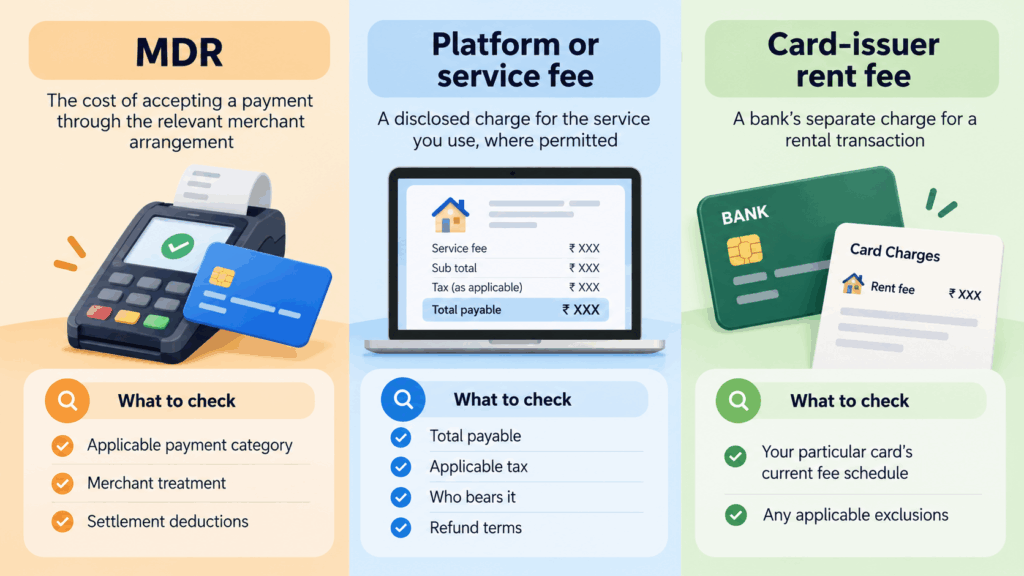
Merchant Discount Rate, or MDR, is a payment-acceptance charge within the merchant and payments ecosystem. It differs from a card issuer’s rental fee and from a separately disclosed charge for a service. Paying a higher fee does not, by itself, make an otherwise unsupported transaction available or compliant.
Three costs to distinguish before choosing a route
| Charge | What it represents | What to check |
|---|---|---|
| MDR | The cost of accepting a payment through the relevant merchant arrangement | Applicable payment category, merchant treatment and settlement deductions |
| Platform or service fee | A disclosed charge for the service you use, where permitted | Total payable, applicable tax, who bears it and the refund terms |
| Card-issuer rent fee | A bank’s separate charge for a rental transaction | Your particular card’s current fee schedule and exclusions |
For example, HDFC Bank’s published card terms describe a separate rental-transaction fee. That is not the same thing as MDR, and another card may follow different terms.
For an illustrative ₹25,000 rent payment, assume a platform charges 1.5% and the issuer charges 1%, both calculated on the rent amount. The two fees total ₹375 + ₹250 = ₹625 before applicable tax. These are assumptions, not a quote. Check whether rent earns rewards before subtracting any expected benefit from that cost.
The October 2026 UPI update needs its own date check
The September 2026 DFS FAQ set out a 0.4% MDR framework for specified merchant UPI payments above ₹2,000, capped at ₹300. It also excludes UPI mandates and AutoPay from the prescribed MDR charge.
But Mint reported NPCI’s 13 October deferral until after Diwali, with a new date to be notified. As of this article’s 30 October 2026 check, do not assume the original 15 October start date took effect. Confirm current notifications and your provider’s applicable tariff.
RentOK’s earlier rent-collection cost guide explains the case for moving recurring dues to mandates. Read its original rollout date alongside the later update above. Zero prescribed MDR does not automatically mean every associated banking or rent-management service is free.
Which rent-payment methods can you use now?
Choose a method that both parties can identify and reconcile, rather than searching only for a replacement credit-card button. Confirm the recipient, amount, due date, fees and expected settlement time before switching.
| Payment method | Where the money comes from | Practical use |
|---|---|---|
| Bank-account UPI | Your linked bank account | A manual monthly payment to the verified recipient |
| IMPS or NEFT | Your bank account | A direct transfer with a bank reference and clear rent narration |
| Bank standing instruction | Your bank account | A scheduled fixed transfer, subject to your bank’s facilities |
| UPI AutoPay or e-NACH | The authorised bank account in this rent-collection setup | Recurring payments linked to an approved mandate |
| Supported credit-card rent service | Your credit-card limit | Only where the service, landlord arrangement and card issuer support the transaction |
For card payments, NoBroker currently displays a rent-payment option on its payment page. A public listing is not a completed transaction test: check current onboarding, card eligibility, charges and landlord settlement before relying on it.
Linking a RuPay credit card to UPI does not create a general card-to-landlord transfer facility. NPCI’s product rules exclude person-to-person and certain other transfer categories. An ordinary personal UPI ID therefore cannot automatically accept a credit-card-funded rent payment.
If the rent deadline is close, agree on a supported bank-funded alternative and retain proof. Avoid improvising a different transaction category simply to make an unavailable card payment pass.
UPI AutoPay and e-NACH make rent a recurring payment
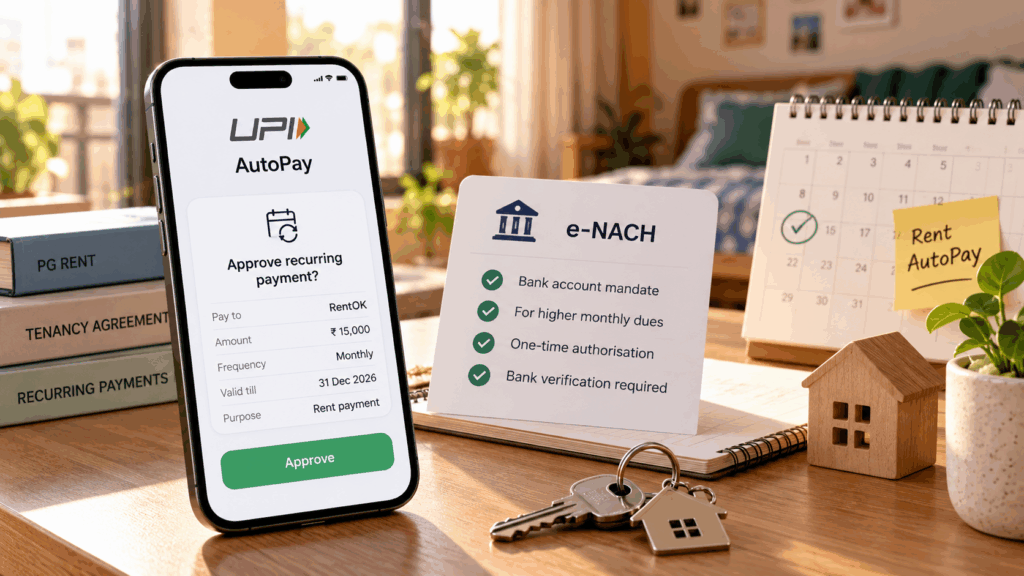
AutoPay is an authorisation to collect recurring dues, not a loan or a promise that your bank will fund a shortfall. RentOK’s earlier AutoPay explainer describes the basic sequence: the tenant approves a mandate, reviews its limit and receives notice before collection.
In RentOK’s currently documented setup, the choice works as follows:
| RentOK payment route | Documented use | Approval method |
|---|---|---|
| UPI AutoPay | Monthly dues up to ₹15,000 | Authorisation in a supported UPI app |
| e-NACH | Higher monthly dues, including amounts above ₹15,000 | Bank-account mandate through the supported bank authentication flow |
This is RentOK’s published product routing, not a claim that ₹15,000 is the maximum for every UPI transaction or every recurring-payment category. e-NACH activation depends on bank verification, so begin before the first due date.
Approval, collection and proof are separate stages
Before approving, check the beneficiary, maximum debit amount, frequency, validity period and chosen date. Also understand whether the mandate covers rent alone or other dues, and how you can stop future collections through the applicable app or bank process.
An approved mandate does not prove that this month’s rent has reached the owner. Keep sufficient balance, review pre-debit notices and confirm the processed-payment status. The rental agreement still governs the underlying dues; cancelling a mandate does not cancel the tenancy or erase unpaid rent.
Switch payment methods without paying twice
Tell the owner or PG manager which month the new arrangement starts and how you will pay any charges outside the mandate. Keep the existing payment method available until the new setup is active, but avoid leaving two unattended instructions for the same rent period.
- Confirm activation before the due date: A submitted bank mandate may still await verification. Agree on a manual fallback if activation takes longer than expected.
- Match the date to available funds: Choose an allowed collection date that works with your salary or funding schedule. Maintain enough balance before the debit begins.
- Investigate pending payments before repeating them: Compare the bank debit, provider status and the owner’s record. Save the transaction reference and contact support when they disagree.
- Resolve a failed debit deliberately: Check the reason and any scheduled retry before making a separate payment. Tell the manager about a manual fallback so the same dues do not trigger another collection unnecessarily.
- Review changes at renewal or move-out: A higher rent, changed bank account or ended tenancy may require a mandate update or cancellation. Confirm the final dues separately.
For PG owners, a connected tenant-onboarding workflow helps establish the rent period, payment arrangement and resident record together. The aim is a clear record of what succeeded, what remains pending and which payment covers each month’s dues.
Rent receipts still matter for HRA and payment records
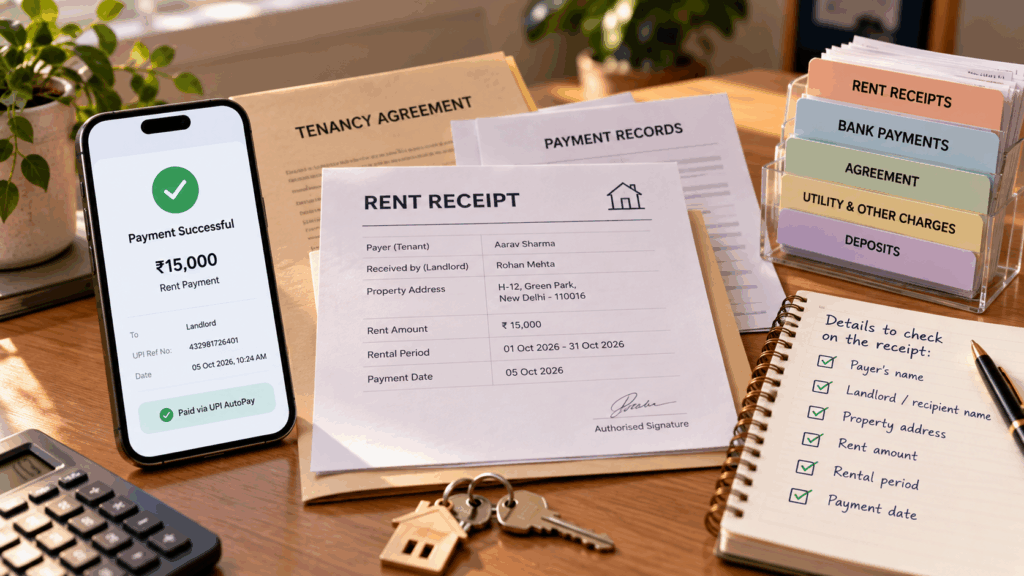
Changing payment methods does not remove the need for a rent receipt. A bank transfer reference proves a transaction; the receipt helps connect it to the tenant, landlord, property and rental period. An AutoPay approval screen proves authorisation, not payment.
Keep the agreement, completed-payment reference and corresponding receipt together. Check that the receipt identifies the payer, landlord or authorised recipient, property address, rent amount, period and payment date. Record food, electricity, deposits and other charges separately rather than treating every PG payment as house rent.
For salaried tenants, HRA eligibility depends on the applicable tax regime and the actual rental arrangement. The Income Tax Department’s tax-regime guidance explains that the new regime does not allow HRA exemption. A receipt generator cannot make an otherwise ineligible claim valid.
Follow the payroll documentation requirements for your tax year, including landlord details and PAN where required. RentOK’s guide to landlord PAN and rent-receipt records discusses those checks, while its rent receipt generator comparison distinguishes preparing a document from maintaining the payment evidence behind it.
Owners should issue receipts against confirmed payments and correct mismatches promptly. Keeping records current is much easier than reconstructing several months of rent when an employee’s proof-submission deadline arrives.
How RentOK helps you set up rent AutoPay
For a PG owner, replacing a card-payment option is only part of the task. You also need to connect collection with the correct resident, rent period and outstanding dues. RentOK AutoPay supports that recurring-payment workflow after the payer authorises the mandate.
- Enable collection for your property: Open Dues & Payment Settings in the Manager app, enable AutoPay, choose the applicable tenant settings and review who pays the disclosed setup and recurring fees. Save the settings and invite tenants to complete authorisation.
- Let tenants approve the payment arrangement: Tenants can use the setup link or online check-in flow, select rent-only or other supported dues, choose an allowed date and authorise the relevant UPI or bank mandate. Approval belongs to the payer; enabling a property setting does not authorise access to their account.
- Connect monthly collection with payment records: RentOK’s documented workflow sends a notice 24 hours before debit, tracks the payment result and issues the corresponding receipt for a processed payment. Owners can review paid, pending and failed dues rather than treating mandate approval as money received.
- Handle exceptions and keep receipts accessible: Follow up on failed debits through the supported payment workflow and reconcile any manual fallback. RentOK’s payment-page documentation also describes downloadable receipts, helping residents retrieve their records.
For the complete owner and tenant setup, follow RentOK AutoPay & e-NACH for Automatic Rent Collection. Confirm current charges, bank support and mandate details during setup. AutoPay reduces repetitive collection work; successful payment still depends on an active mandate, sufficient funds and processing.
Conclusion
The changes to credit-card rent services do not mean digital rent payments have stopped. They show why compliance, fees and payment reliability need separate attention. Check any card route before using it, compare the complete cost and keep a supported bank-funded option ready when rent falls due.
For recurring PG rent, a properly authorised mandate offers a practical way to reduce monthly payment effort while keeping collections and receipts connected. Set up rent AutoPay on RentOK, review the terms with your tenants and build a routine that includes payment confirmation as well as authorisation.
Frequently Asked Questions
Find answers to common questions about this topic
About the Author
Ishika Pannu
Ishika Pannu brings you the latest insights and easy-to-apply strategies in property management—helping you simplify renting and grow with RentOk.