Market Trends
How to Pay MCD Property Tax Online in Delhi

Written by
Ishika Pannu
Read Time
11 min read
Posted on
November 24, 2026
Overview
Overview
How to Pay MCD Property Tax Online in Delhi
Paying property tax in Delhi involves more than finding a payment button. You need the correct property record, the right financial year and an assessment that reflects how you actually use the premises. For a landlord or PG operator, an old residential declaration or a missing receipt can create problems long after the bank confirms payment.
You can pay MCD property tax online through the Municipal Corporation of Delhi’s citizen portal using a 15-character alphanumeric Unique Property Identification Code, or UPIC. This guide covers the payment process, rebates, delayed payments and receipt downloads, with a separate explanation for PG properties. The information reflects official sources checked on 24 November 2026; confirm current-year notices before claiming a concession.
Who has to pay MCD property tax?
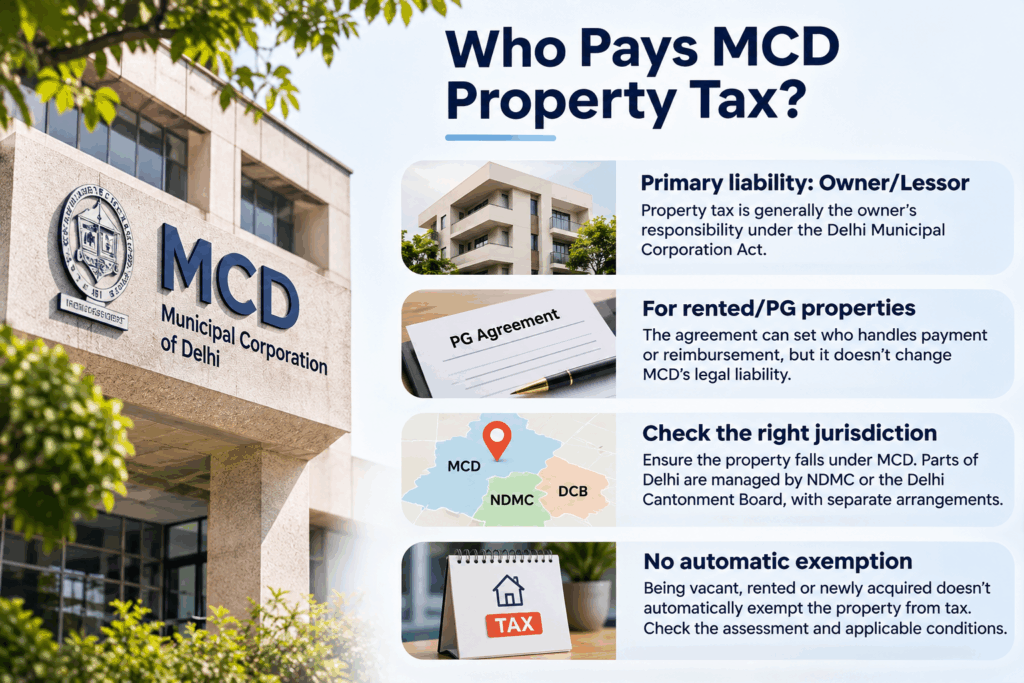
Property tax generally falls on the property owner or lessor, subject to the Delhi Municipal Corporation Act’s specific liability rules. For a rented building, the agreement may allocate reimbursement or payment administration between the owner and operator. That private arrangement does not automatically change whom MCD can hold responsible under the law.
A PG operator who leases a building should therefore establish who checks assessments, submits information, pays demands and handles notices. Keep those responsibilities in writing, alongside the treatment of any tax reimbursement. RentOk’s PG agreement guide explains why clearly documented charges and responsibilities matter in managed accommodation.
First confirm that the property falls within MCD jurisdiction. Delhi also includes areas administered by the New Delhi Municipal Council and Delhi Cantonment Board, which use separate arrangements. Do not select a portal simply because the address contains “Delhi”.
Being vacant, rented out or newly acquired does not by itself establish an exemption. Check the property’s assessment and any applicable exemption conditions instead of assuming that no rent means no municipal tax. The Delhi Municipal Corporation Act provides the statutory framework.
Finding your UPIC and checking the property record
Your UPIC identifies the property for MCD tax purposes. Look for it on an earlier property-tax receipt or assessment record, then compare the address and owner details with the premises you intend to pay for.
If you cannot find it, open the official MCD property-tax citizen portal and use the property-search or UPIC lookup options. Depending on the screen, available search information includes the owner name, property address, colony, ward or zone. The portal also provides a “Know Your UPIC/Mobile Number” facility.
Check the search result carefully, particularly where several properties share similar names or addresses. A familiar mobile number alone does not establish that you have selected the correct flat, floor or building.
What if the property does not appear?
Search the legacy records before applying for a new UPIC. For an existing property linked to another account or a previous owner, MCD provides transfer or release workflows; use the applicable route rather than creating a duplicate record.
If the property genuinely has no UPIC, choose Apply for New UPIC and provide the requested property, location and ownership information. Follow any document and verification requirements shown. Applying for a UPIC, transferring access and changing the owner’s name in municipal records are distinct processes, so check whether mutation or e-change of name also applies.
Paying online: from login to confirmation
Keep the UPIC, earlier receipt, property measurements, ownership information and payment method ready before you begin. Review the declaration before paying; copying last year’s details can repeat an earlier mistake.
Sign in and select the property
Open the official citizen portal and sign in through the registered mobile-number and OTP process. Complete registration first if required. MCD’s instructions say international mobile-number login has stopped; affected NRIs can use an Indian mobile number or the available email-login route.
On the dashboard, select the relevant property and open Actions → Pay Tax. Use the property or owner-detail editing options when the record needs correction. Confirm the UPIC and address before moving to the financial-year selection.
Review the assessment and financial year
Select the year you intend to pay. FY 2026–27 runs from 1 April 2026 to 31 March 2027; paying that year does not automatically clear an earlier year’s arrears.
Check the covered area, floor or section details, ownership, use and other applicable assessment factors. Compare the calculation with your records, including any change from family residence to PG accommodation. Save the calculation sheet where the portal offers a PDF download.
Check these items before confirming:
- Correct period: The selected year and any arrears match what you intend to settle.
- Accurate declaration: The property details reflect the premises and their actual use.
- Valid concessions: The calculation includes only rebates or exemptions you qualify for.
- Amount breakdown: You can distinguish tax, interest, adjustments and any other displayed charges.
Complete payment and check the result
Choose the payment gateway and an available method, such as net banking, card or UPI where offered. Wallet availability depends on the gateway; do not assume every listed method will appear for every transaction.
Save the bank or payment reference and check the result on MCD’s portal. A bank debit alone does not prove that MCD has posted the payment successfully. Use the portal’s recorded status and downloadable receipt to complete your reconciliation.
MCD’s official property-tax user manual explains the dashboard, calculation and payment functions. Button labels can change, so follow the current screen when it differs from an older illustration.
Rebates, deadlines and late-payment charges
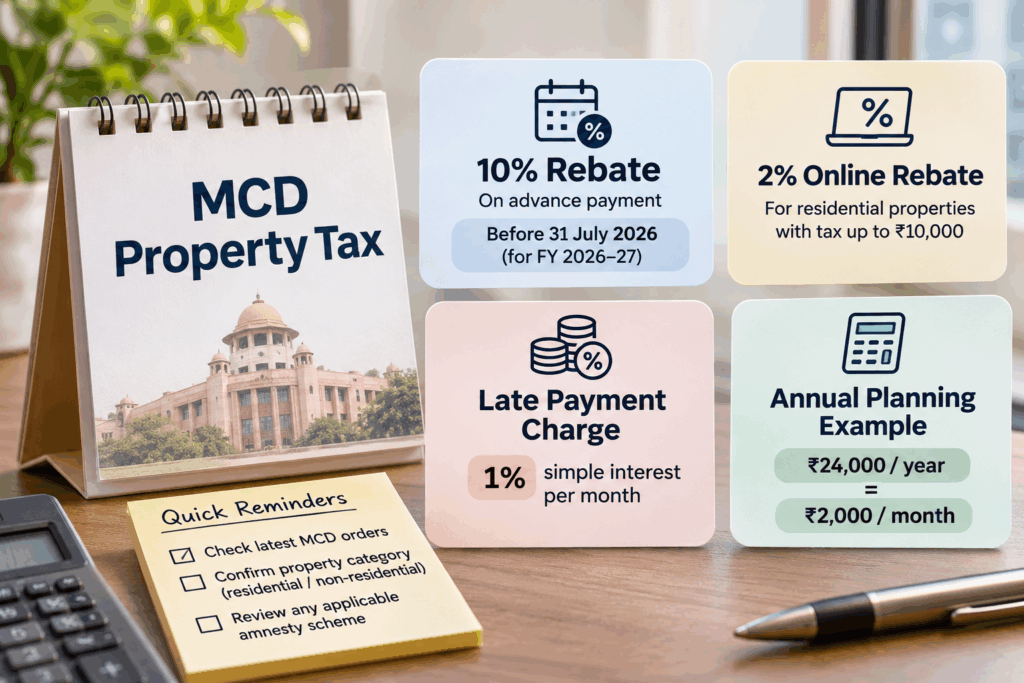
The citizen portal states a 10% advance-payment rebate for lump-sum payment before 30 June of the relevant financial year. However, a year-specific extension can change that deadline. MCD’s official archive lists an extension for FY 2026–27 to 31 July 2026. That date has passed as of this guide’s November update; check any later applicable order rather than assuming the rebate remains available. See MCD’s official notice archive.
The portal also lists a 2% online-payment rebate for residential properties with tax up to ₹10,000. Check the current schedule, eligibility and calculation shown before claiming it. A PG assessed under a non-residential entry should not assume that a residential concession applies.
Keep the rebate deadline separate from the statutory payment schedule and any demand-specific due date. Under Section 152(2) of the DMC Act, delayed payment can attract simple interest of 1% for every month or part of a month, counted from the applicable due date. Incorrect declarations, underassessment or enforcement can involve separate consequences; interest and penalties are not interchangeable labels.
Planning for an annual payment
As a budgeting example, a ₹24,000 annual tax provision requires setting aside ₹2,000 monthly. This reserve is an internal planning calculation, not permission to replace MCD’s payment schedule with monthly instalments. RentOk’s monthly closing checklist helps place annual expenses within regular financial reviews.
If you have arrears, inspect any current amnesty scheme’s official order before relying on a waiver. Check the eligible years, conditions and closing date; a scheme banner alone does not establish your entitlement.
Downloading your MCD property tax receipt
After successful payment, return to the property dashboard and choose Actions → Tax Paid Details for the relevant UPIC. Select the financial year and use Download Receipt. Check the property, period, payment date, amount and transaction reference before saving it.
Retain three records together: the assessment or calculation sheet, MCD’s payment receipt and the bank reference. Each answers a different question: what you owed, what MCD recorded and how the money moved. Use a filename that identifies the property and financial year.
RentOk’s guide to monthly PG financial reports explains how supporting records make expense totals easier to reconcile. Record the payment against the appropriate property and note separately if it covers older assessment years.
Money deducted but no receipt?
Use Actions → Verify Payment Status for the selected UPIC. MCD’s manual describes this function for checking the gateway result and updating the transaction status. A successful update should make the payment slip available for viewing or download.
Avoid immediately paying again while the first transaction remains unresolved. Preserve the reference, amount, timestamp and error message, then contact the helpdesk if the status does not reconcile. MCD warns that taxpayers bear the risk of multiple payments for the same property.
Do PGs qualify for residential property-tax treatment?
A residential address does not automatically mean residential tax treatment. MCD’s published use-factor annexure includes Guest Houses/Paying Guest Houses/Lodges/Inn, with a use factor of 4, compared with 1 for the residential entry. Check the current applicable factors and assessment with MCD before filing.
The use factor is not the final tax percentage. MCD’s unit-area calculation also considers other property characteristics and applicable rates. Do not interpret a use factor of 4 as a flat 4% tax or assume that the entire final bill must equal four times a residential bill. Consult the official use-factor annexure.
For a building that combines family accommodation and PG floors, prepare an area-and-use statement and ask how MCD requires each portion and shared space to appear in the return. RentOk’s PG property-tax classification guide explains why local categories and actual use matter.
Keep tax assessment separate from permission to operate. A paid commercial or PG tax bill does not replace land-use approval, registration or safety requirements. RentOk’s MCD structural-safety guide for PGs covers a separate building-compliance issue.
MCD helpdesk and related services
For portal assistance, MCD lists 155305 and the property-tax contact 7065064988, also available on WhatsApp. Its login instructions provide support-mcd@mcd.nic.in; the helpdesk also displays mcd-ithelpdesk@mcd.nic.in. Use the contact relevant to your issue and retain the complaint reference.
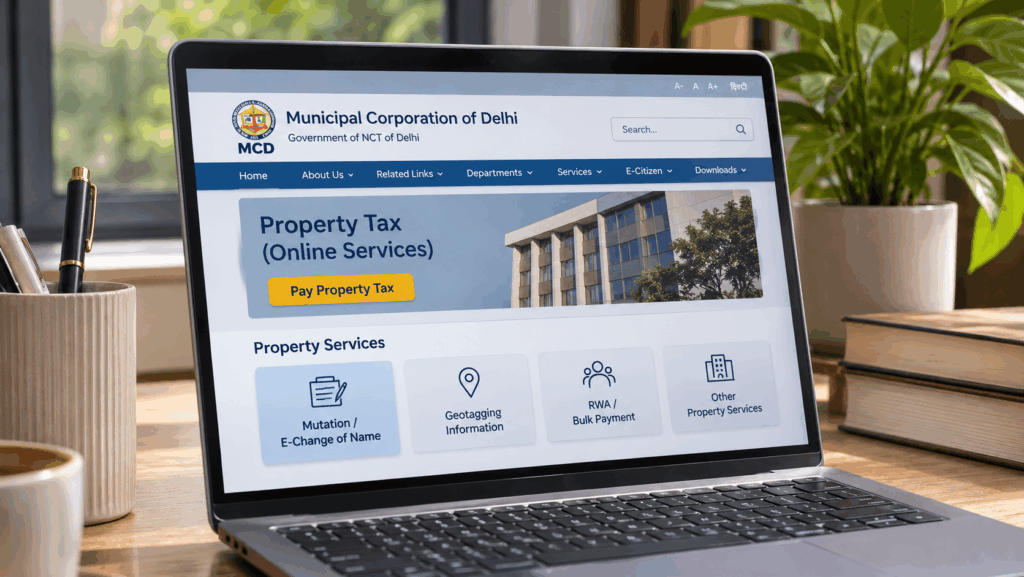
The portal also provides access to mutation or e-change of name, geotagging information and other property services. RWA or bulk-payment facilities serve different workflows from an individual owner’s return. Follow the applicable instructions rather than assuming one payment updates every related record.
How RentOk helps you track property-tax expenses
A municipal payment needs to remain visible after you close the MCD portal. RentOk’s expense records and financial reports help you review that outflow alongside the property’s other operating costs, while MCD remains the authority for assessment and payment confirmation.
- Keep the expense identifiable: Record the payment with a clear property reference, description and assessment period. Retain the official receipt and bank evidence, and distinguish underlying tax from interest or penalties.
- Review the payment period: RentOk’s expense filters support date ranges and category-based reviews. Use them to find recorded expenditure without confusing the payment date with the assessment year.
- Check the property’s financial result: Its money reports provide monthly income, expense and profit views with property filters and downloads. Review a large annual tax outflow alongside collections and your planned reserve.
These tools support financial records; they do not determine MCD’s classification, claim rebates or file the municipal return for you.
Conclusion
An accurate Delhi property tax payment starts with the right jurisdiction, UPIC, financial year and declaration. Check rebates against current notices, review the actual property use and confirm the payment status before treating a bank debit as a completed tax payment. For PG operators, classification deserves the same attention as the amount due.
Finish by downloading the official receipt and reconciling it with the bank reference and assessment. Keep annual demands, arrears and payment dates clear so your next review starts with reliable figures. Track property expenses on RentOk to keep municipal payments visible within your property finances throughout the year.
Frequently Asked Questions
Find answers to common questions about this topic
About the Author
Ishika Pannu
Ishika Pannu brings you the latest insights and easy-to-apply strategies in property management—helping you simplify renting and grow with RentOk.