Tenant Rights
Fake PG Listings and Token-Money Scams: How to Spot Them

Written by
Ishika Pannu
Read Time
11 min read
Posted on
October 31, 2026
Overview
Overview
Fake PG Listings and Token-Money Scams: How to Spot Them
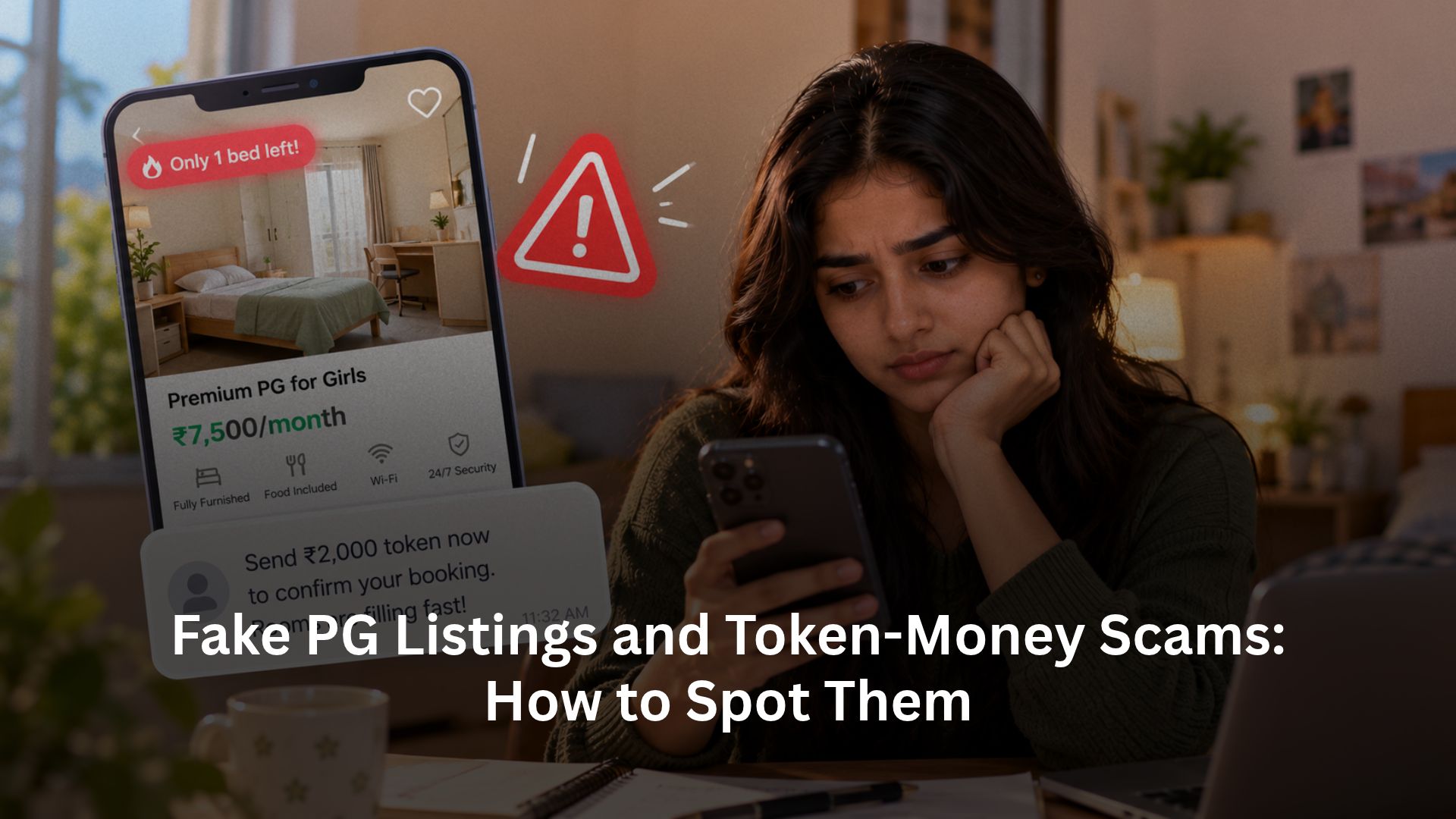
A good-looking room, an unusually low rent and a message saying “only one bed left” can make a PG search feel urgent. Then comes the request: send a small token before visiting, pay for a gate pass or transfer a deposit to someone who promises to hand over the keys later. The amount may seem affordable enough to risk, which is exactly why the request deserves scrutiny.
A PG rental scam can involve a property that does not exist, a real building that the advertiser cannot let, or a genuine listing copied by an impersonator. Spotting it requires more than judging the photographs. Check the room, the person’s authority, the written terms and the payment recipient together. If you have already transferred money to a suspected fraudster, call 1930 immediately and report through the National Cyber Crime Reporting Portal.
The scam patterns behind the attractive listing
The basic trap turns an enquiry into a payment before you can check the offer. These patterns deserve particular attention:
- The copied listing: Someone reuses another property’s photographs and description, then collects tokens for accommodation they cannot provide.
- The visiting-pass demand: The advertiser claims you must pay a society, security or registration fee before anyone will show you the room. Confirm any claimed building requirement independently.
- The expanding token: After the first transfer, a supposed processing error, verification requirement or refund procedure triggers another demand. Paying more does not establish that the original reservation exists.
- The fake refund: The person offers your money back but asks you to scan a QR code, approve a payment request or pay a release charge first.
Square Yards’ tenant fraud-awareness guidance describes copied listings, visiting-pass demands and misleading tours. These are patterns to recognise, not proof that every online booking is fraudulent.
A genuine operator may collect a booking token after verification and agreed terms. RentOK’s token-money policy guide explains the records that distinguish an accountable reservation from an unexplained transfer.
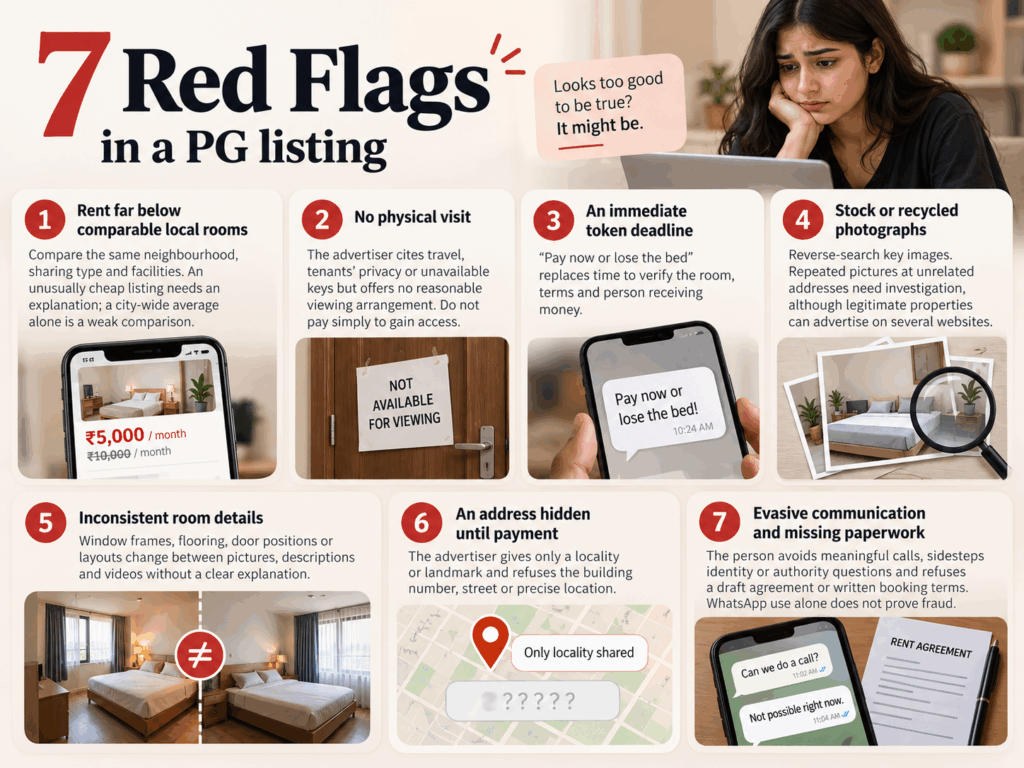
7 red flags in a PG listing
One inconsistency may have an explanation. A combination of evasive answers, missing details and payment pressure should make you pause rather than negotiate a faster transfer.
- Rent far below comparable local rooms: Compare the same neighbourhood, sharing type and facilities. An unusually cheap listing needs an explanation; a city-wide average alone is a weak comparison.
- No physical visit: The advertiser cites travel, tenants’ privacy or unavailable keys but offers no reasonable viewing arrangement. Do not pay simply to gain access.
- An immediate token deadline: “Pay now or lose the bed” replaces time to verify the room, terms and person receiving money.
- Stock or recycled photographs: Reverse-search key images. Repeated pictures at unrelated addresses need investigation, although legitimate properties can advertise on several websites.
- Inconsistent room details: Window frames, flooring, door positions or layouts change between pictures, descriptions and videos without a clear explanation.
- An address hidden until payment: The advertiser gives only a locality or landmark and refuses the building number, street or precise location.
- Evasive communication and missing paperwork: The person avoids meaningful calls, sidesteps identity or authority questions and refuses a draft agreement or written booking terms. WhatsApp use alone does not prove fraud.
Use RentOK’s PG rent comparison guide as a starting point, then obtain current quotes near your actual destination. A discount cannot compensate for a listing you cannot verify.
Does the advertised room actually exist?
Inspect the exact room before paying. Check the address, entrance, floor, room or bed allocation and facilities against the advertisement. A visit to a real building does not establish that the particular room is available, so ask management to confirm the offered accommodation and move-in date.
If you cannot travel immediately, request an unedited live video walkthrough from the street or entrance to the specific room. Ask the caller to show a detail you choose, such as the room number, window view or bathroom. A prerecorded clip cannot respond to those requests, but even a live call does not prove ownership or authority.
Ask a trusted local friend or representative to inspect before you transfer money. If neither you nor someone you trust can check the property, delay payment rather than treating the video as equivalent to a physical visit.
Reverse-search listing images and search the complete address separately. Compare maps, building photographs and other listings, while recognising that reviews and online profiles can also mislead. Speak with current residents or a neighbour where possible without requesting their private documents.
Keep the accommodation checks practical: locks, exits, water, food, access rules and the room you will actually occupy. RentOK’s PG viewing checklist helps you test those details instead of relying on attractive photographs.
Checking the owner’s identity and authority
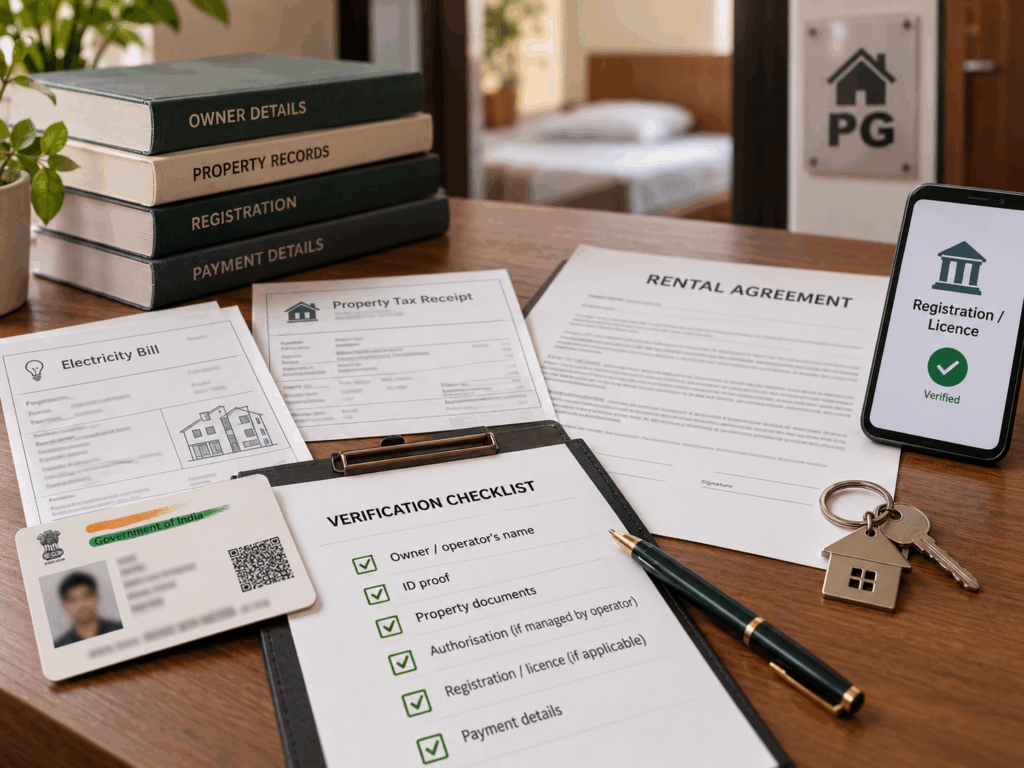
To verify a PG owner, establish both who the person is and why they can offer that property. A photograph of an Aadhaar card, a professional-looking profile or a familiar business name cannot answer both questions. Documents can belong to someone else or refer to another address.
Ask for the responsible owner or operating entity’s name and compare it with relevant property records and the proposed agreement. An electricity bill or property-tax receipt can support an address check; neither alone proves title or permission to operate a PG. A society ID card may identify a resident without establishing ownership.
A manager, company or leaseholding operator may legitimately run the accommodation. Ask how their authority connects to the owner and confirm it through an independently obtained contact, not only a second number the advertiser sends. Request an appropriate explanation or supporting authorisation without demanding unnecessary personal records.
Where applicable, check registration or licence details with the issuing authority. Compare the address, operator, validity and activity rather than accepting a certificate screenshot. RentOK’s guide to checking PG registration explains why the required permissions vary by location.
Finally, ask who will receive payment. A company or authorised collection account can differ from the owner’s personal name, but management should explain that relationship consistently. Stop if the recipient changes suddenly or nobody can justify it.
Which payment checks matter before you send money?
Only proceed after the property and recipient checks. Obtain written booking terms identifying the exact accommodation, move-in date, amount, purpose, adjustment against rent or deposit, cancellation conditions and refund process. Review the draft rental or accommodation agreement; do not rely on a promise to provide everything after payment.
RentOK’s agreement-review guide helps you compare the financial terms with what the advertiser promised. Confirm the applicable paperwork and complete the agreed documents before paying the associated rent or deposit.
Use a payment route you independently confirm with the verified manager. Check the payee name, amount and transaction purpose before authorising. UPI transfers to personal accounts can be legitimate, while a branded payment page can be fake; the channel alone does not establish the recipient’s credibility. Avoid cash that leaves you without a reliable record.
A refund should not require another outgoing payment
NPCI warns that scanning a QR code and entering a UPI PIN is for making a payment, not receiving money. Reject a “refund” instruction that asks you to approve a debit, share an OTP or PIN, or install a remote-access app. Read the transaction screen rather than following the caller’s instructions. See NPCI’s fraud-awareness guidance.
Save the transaction reference and obtain an acknowledgement showing the amount’s purpose and the property. A receipt supports your records; it does not independently prove the accommodation exists. If pressure returns or the payee changes at the last minute, stop and verify again.
Scammed? Call 1930 and report online
If you suspect token-money fraud, act immediately. Do not wait for the advertiser’s promised refund or send another payment to “complete” the first transaction. You can take reporting steps while preserving the remaining evidence.
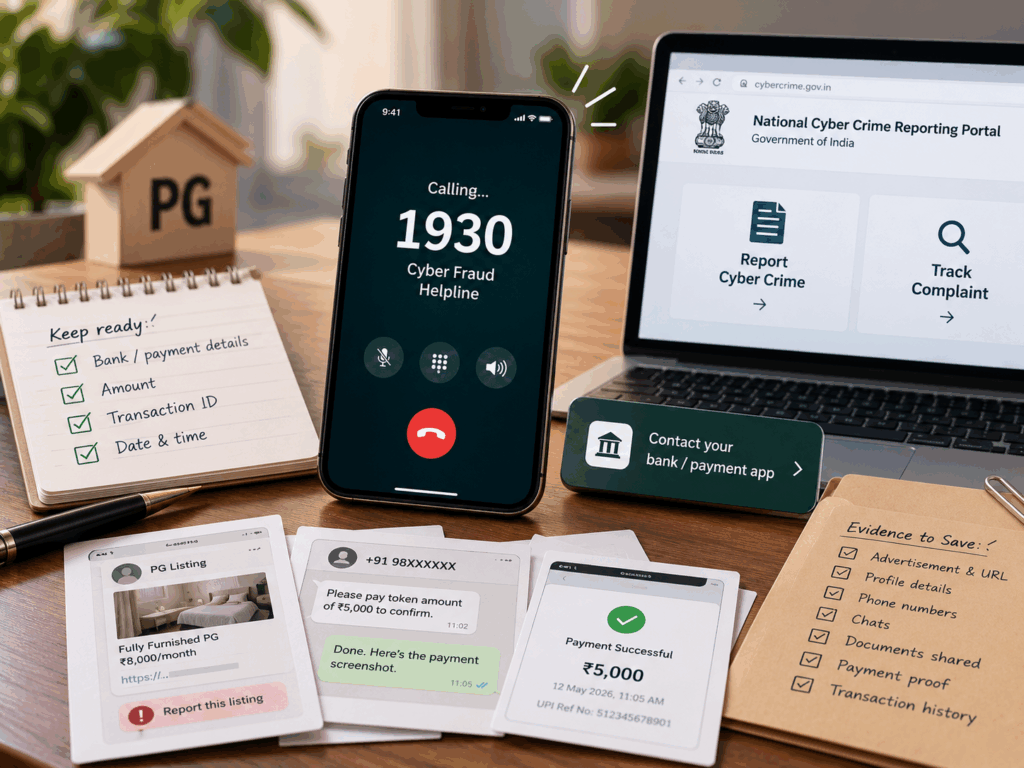
- Call 1930: Report the financial cyber fraud promptly. Keep your bank or payment details, amount, transaction reference and time ready, and retain the acknowledgement or reference you receive.
- Notify your bank and payment app: Use their official fraud-support channels, explain what happened accurately and request urgent action. Distinguish a transfer you authorised after deception from a transaction you did not authorise.
- Report on cybercrime.gov.in: Use the official portal and follow the helpline’s instructions for completing the complaint. Keep the acknowledgement and any further information requests.
- Preserve evidence and report the listing: Save the advertisement, URL, profile, phone numbers, chats, supplied documents, payment details and transaction history. Then flag the fake profile or advertisement to the platform.
The official cybercrime portal guidance identifies reporting routes and complaint tracking. Cyberabad Police’s awareness guidance also advises immediate reporting, bank contact and documentation.
Evidence, follow-up and realistic expectations
Keep original messages and files where possible, not just edited screenshots. Note the sequence of events and follow instructions from the bank and investigating authorities. Contact local police or the cybercrime unit when required; reporting a listing to an app does not replace an official complaint.
Prompt reporting can help authorities act, but recovery is not guaranteed. A complaint acknowledgement is not a refund confirmation. Also distinguish suspected impersonation or deception from an ordinary cancellation disagreement; a delayed token refund alone does not establish criminal fraud.
How RentOK helps keep rent payments traceable
After you verify the property and management, RentOK can support a clearer payment process through property-linked dues, payment details and receipts. Its published payment-page workflow describes how tenants can review the bill and complete payment through the available methods.
- Review what you owe: Open the confirmed payment route and check the property information and dues breakdown. Match the charge with the agreement or booking terms before proceeding.
- Check the payment amount: RentOK’s payment flow shows the total before you select a method and pay. Review the amount and recipient information shown during payment rather than approving instructions blindly.
- Keep accessible receipts: The payment page includes a Receipts tab where tenants can view details and download or save receipts. Retain the bank or UPI reference alongside the acknowledgement for follow-up.
- Connect payments with resident records: Participating operators can organise bookings, agreements and payment records, helping staff explain what a received amount relates to when a tenant raises a query.
Confirm which features your property uses. A RentOK logo, link or receipt does not replace property verification, and software cannot guarantee that a stranger’s listing is genuine or recover a fraudulent transfer automatically.
Conclusion
A convincing PG listing should survive practical checks: the room matches the advertisement, the person has authority to offer it, the terms explain your payment and the recipient makes sense. Pause when urgency replaces those answers. A low rent or small token does not justify transferring money before you establish what you are booking.
Inspect first, verify independently and keep written terms with your payment records. If money has already gone to a suspected scammer, call 1930, notify your bank and report through the official portal without delay. Pay rent safely through RentOK by using your verified property’s supported payment route and reviewing the dues and receipts, while keeping these checks part of every booking.
Frequently Asked Questions
Find answers to common questions about this topic
About the Author
Ishika Pannu
Ishika Pannu brings you the latest insights and easy-to-apply strategies in property management—helping you simplify renting and grow with RentOk.