Legal
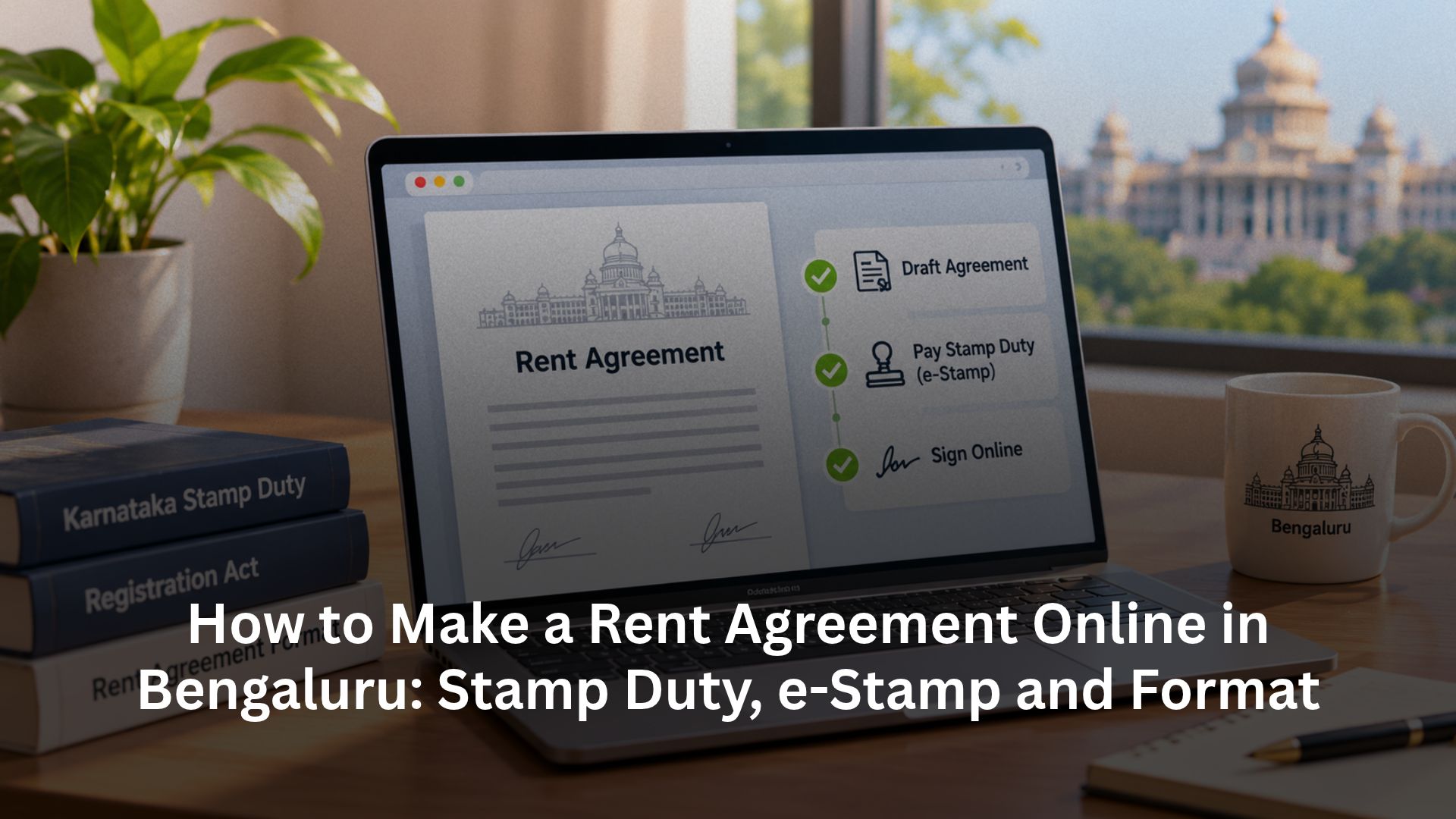
How to Make a Rent Agreement Online in Bengaluru: Stamp Duty, e-Stamp and Format

Written by
Ishika Pannu
Read Time
10 min read
Posted on
November 4, 2026
Overview
Overview
How to Make a Rent Agreement Online in Bengaluru: Stamp Duty, e-Stamp and Format
If you want to make a rent agreement online in Bangalore, start with three separate tasks: agree on the terms, pay the correct Karnataka stamp duty and complete signing plus any required registration. A downloaded PDF, an e-stamp and a registered lease serve different purposes. Completing one does not automatically complete the others.
For landlords, flatmates and PG operators, the details matter as much as convenience: who signs, which premises the agreement covers, what the deposit secures and how either side can end the stay. This guide covers the registration test, Karnataka’s short residential lease duty, the digital e-stamp route and a free starting format. It also explains how RentOK brings agreement review, multiple signers and the final PDF into resident onboarding.
Does your Bengaluru rent agreement need registration?
Under Section 17(1)(d) of the Registration Act, 1908, compulsory registration covers leases from year to year, terms exceeding one year and leases reserving yearly rent. Section 18 includes leases not exceeding one year among optionally registrable documents, subject to the applicable provisions.
Consequently, an ordinary 11-month residential lease with monthly rent generally does not require registration solely because of its term. Exactly 12 months is not the same as “exceeding one year”; assess the complete arrangement rather than applying a blanket “12 months or more” rule.
Check special requirements too. The Karnataka Rent Act has its own applicability limits and written-agreement requirements. Do not assume every property falls inside or outside it simply from the advertised rent.
Notarisation is not registration, and an Aadhaar e-sign does not replace compulsory registration. RentOK’s notarised-versus-registered agreement guide explains that distinction. Where registration applies, complete the prescribed Kaveri/Sub-Registrar process; an online stamp payment alone is insufficient.
Karnataka stamp duty and the charges around it
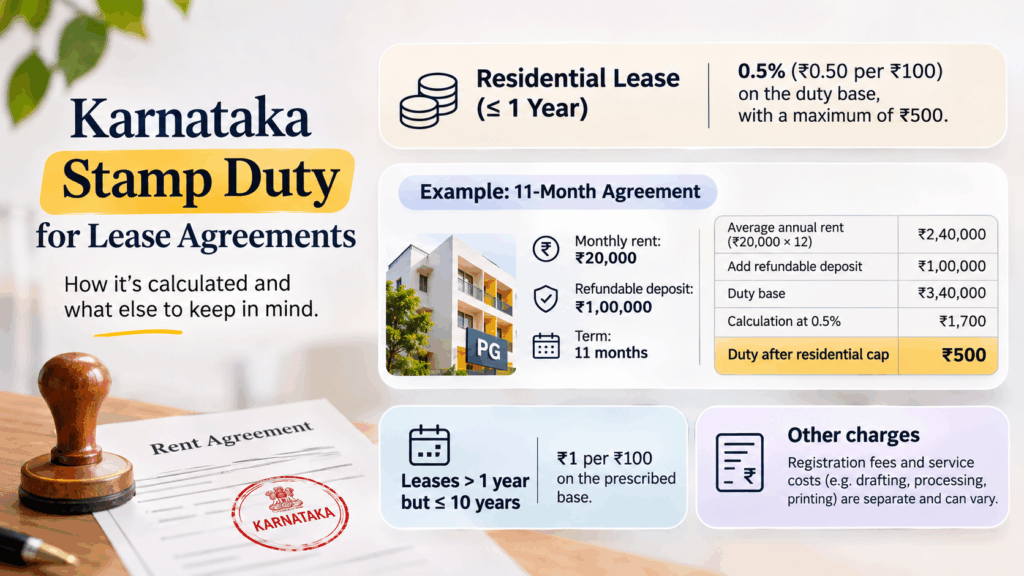
For an ordinary residential lease not exceeding one year, Article 30 of the Karnataka Stamp Act specifies fifty paise per ₹100 or part thereof on the stated base, capped at ₹500. The base includes average annual rent, premium, fine and money advanced; the explanation includes refundable or adjustable security deposits.
Consider an illustrative 11-month agreement with ₹20,000 monthly rent, a ₹1,00,000 refundable deposit, and no premium or fine:
| Calculation | Amount |
|---|---|
| Average annual rent: ₹20,000 × 12 | ₹2,40,000 |
| Add refundable deposit | ₹1,00,000 |
| Duty base | ₹3,40,000 |
| Calculation at 0.5% | ₹1,700 |
| Duty after the applicable residential cap | ₹500 |
₹500 is a ceiling, not a universal flat charge. Longer leases, commercial premises, family arrangements and other instruments can follow different provisions. Check the current assessment rather than extending this example to every PG or lease. RentOK’s stamp-duty guide explains why the property, instrument and term matter.
For an ordinary lease exceeding one year but not ten years, Article 30 uses ₹1 per ₹100 on its prescribed base. Registration fees are separate; confirm the current assessment before payment.
Is ₹650 the total cost?
A ₹650 quotation could combine ₹500 duty with ₹150 of service costs; that ₹150 is illustrative, not an official tariff. Drafting, processing, printing, delivery and optional notarisation charges vary. Ask for an itemised quote, with any registration fee separately identified. Do not treat quoted ₹50 add-ons as fixed government rates.
Documents and property details to keep ready
Prepare a consistent set of details before you start. A mismatch between the draft, stamp record and signers can create avoidable corrections later.
- Parties: Legal names, addresses and contact details of every owner and tenant who will sign, plus authority documents where someone acts for an owner.
- Property: Complete address, flat number, floor, block, ownership records and the relevant property identifier requested by the selected process.
- Financial terms: Rent, deposit, advance, maintenance, utilities, payment date, tenure, notice, lock-in and refund conditions.
- Signing information: Required identity documents and witness details. Aadhaar-based signing needs the authentication arrangements specified by the service; PAN is not a universal prerequisite for every tenant agreement.
Keep the applicable e-Khata/ePID or other accepted property reference ready when the portal requests it. Do not assume that every Bengaluru rental needs one universally described “10-digit e-Khata number”. Property-tax identifiers, ePID and electricity account numbers serve different purposes. Follow the current field instructions rather than substituting another number.
Buying an e-stamp and making the agreement online
Use the official Kaveri Online Services route or a provider whose stamping, signing and delivery scope you understand. An online drafting service does not necessarily include government registration. RentOK’s e-stamping explainer helps separate those services.
NoBroker and eSahayak also offer Bengaluru agreement services. Compare the actual inclusions—drafting, duty, signing, delivery and registration—rather than assuming every package covers all five.
The digital e-stamp sequence
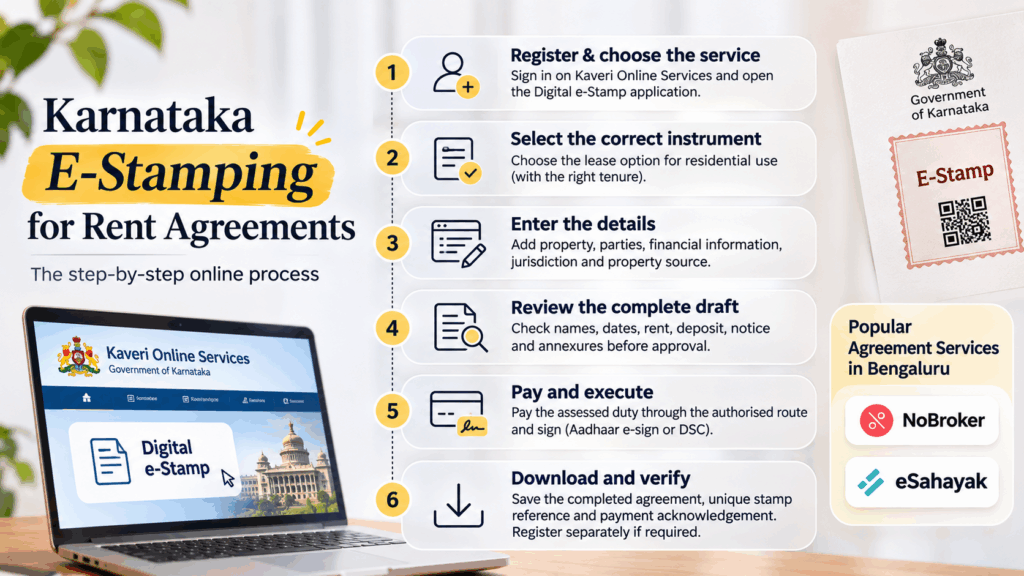
The Karnataka Digital e-Stamp Rules provide for user registration, instrument details and content, payment, a unique digital stamp and verification. Use this sequence alongside the live portal’s instructions:
- Register and choose the service: Sign in and open the available Digital e-Stamp application. Distinguish it from the separate document-registration workflow.
- Select the correct instrument: Choose the lease description matching residential use and tenure. Do not select a category merely because a guide calls it “Article 31”; the statutory lease article is Article 30.
- Enter the details: Add the property, parties and financial information the form requests. Select the jurisdiction and property-source option that actually matches your records.
- Review the complete draft: Enter or upload the instrument content as the service allows. Check names, dates, rent, deposit, notice and annexures before approval.
- Pay and execute: Review the assessment, pay through the authorised route and complete the required signing. The Rules provide for Aadhaar-based e-sign or an appropriate Digital Signature Certificate.
- Download and verify: Retain the completed instrument, unique stamp reference and payment acknowledgement. Complete registration separately whenever the law requires it.
When buying e-stamp paper in Bangalore, choose an authorised route rather than a seller offering an unexplained certificate. Portal labels can change; follow the current instructions for the selected instrument.
Free rental agreement format for Bengaluru
Use this free Bengaluru rental agreement format as a starting draft for an ordinary residential letting. Complete every blank and adapt the terms before signing; it is not a government-approved form or a substitute for required formalities. A managed PG may need a different structure.
Parties, property and payment
RESIDENTIAL RENTAL AGREEMENT
This agreement is made at Bengaluru on [date] between [landlord name(s), address and contact], called the Landlord, and [tenant name(s), address and contact], called the Tenant. [Authorised representative and authority, if applicable].
1. Premises and use: The Landlord lets [complete address, flat, floor, block and relevant property identifier], with [parking/common-area rights], for residential use. The attached inventory records furnishings and their condition.
2. Term: The tenancy runs from [start date] to [end date]. Renewal requires [written process], with rent revision on [agreed basis].
3. Rent: The Tenant shall pay ₹[amount] monthly by [date] through [method]. Any late charge is [amount/calculation and conditions], subject to applicable law.
4. Deposit: The Landlord acknowledges ₹[amount] as refundable security. Permitted deductions cover [specified lawful liabilities], supported by an itemised settlement. The Landlord shall return the balance within [agreed period] after [handover/settlement trigger], subject to applicable law.
Bills, access and exit
5. Charges and repairs: [Party] pays society maintenance of ₹[amount/basis]. The Tenant pays [agreed BESCOM electricity/BWSSB water allocation and method]. The Landlord handles [repairs]; the Tenant handles [responsibilities].
6. Access and rules: Inspection requires [reasonable notice], except emergencies. Visitor, subletting and shared-area rules appear in [annexure]; all terms remain subject to law.
7. Ending the tenancy: Either party may terminate on [notice and grounds]. The lock-in is [period/none]; lawful early-exit consequences are [terms]. Handover includes keys, inventory review and outstanding bill settlement.
8. Execution: The parties accept the completed agreement and annexures and will complete applicable stamping and registration.
Landlord(s): [names/signatures]. Tenant(s): [names/signatures]. Witness 1 and Witness 2: [names, addresses and signatures]. Execution date: [date].
Use RentOK’s agreement-review guide to test the completed terms. One to three months’ notice is a negotiable example, not a universal Bengaluru rule.
Final checks before signing and renewal
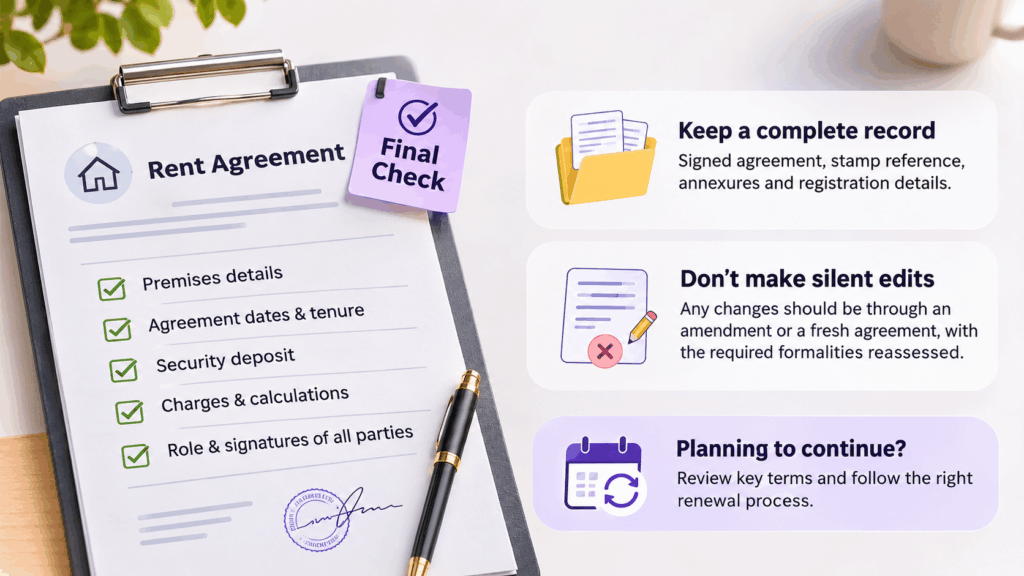
Compare the final PDF with the terms everyone accepted. Check the premises, dates, deposit, charge calculations and every signer’s role. Two witness lines in a template do not establish that all legal formalities are complete.
Keep the signed version with its stamp reference, annexures and any registration record. Do not edit a signed PDF silently; document changes through an appropriate amendment or fresh agreement and reassess the formalities. RentOK’s renewal guide explains which terms deserve another review when the stay continues.
How RentOK helps create online rent agreements
RentOK connects agreement preparation with resident onboarding, including situations involving several owners, flatmates or parents. The multi-party workflow supports one agreement with multiple first and second parties, rather than limiting documentation to one tenant’s signature.
Prepare the resident and agreement details
From People → + → Add Manually, enter the resident details and continue to Agreement Review. Check the information and terms before selecting Approve and Sign. Confirm the appropriate agreement structure, stamp duty and registration route for your property.
- Co-owners or other authorised first parties: In Agreement Parties, choose Add First Party, select the appropriate person and continue. Each added party can sign separately; verify their authority rather than treating software access as proof of ownership.
- Flatmates signing together: Choose Add Co-Tenant in Agreement Parties, enter the additional resident’s details and complete onboarding. The original resident remains the primary tenant.
- Witnesses: Add a witness for each side from the staff list or through custom details. Keep their names and roles consistent with the execution requirements.
Signing, parents and the final PDF
For an under-18 resident, select Under 18, add the parent/guardian information and continue to agreement review. RentOK adds the parent to Agreement Parties alongside the resident; mixed-age rooms need parent details only for the under-18 occupant. Confirm the appropriate legal contracting role for a minor.
Aadhaar e-Sign can be enabled property-wise; the regular digital-signature option remains the default in the supplied workflow. Agreement Parties shows who has signed, and the completed PDF becomes available from the resident’s profile, with owner signatures on the left and tenant signatures on the right.
Adding signers to one instrument does not automatically require separate stamp papers for each person. Assess duty on the actual agreement. In this version, dues, passbook, login and payments remain with the primary tenant; separate co-tenant rent/deposit splits and app access are not included. Check enablement with RentOK using its multi-party agreement documentation.
Conclusion
Making a rent agreement online in Bengaluru works best when the document and the process match. Start with accurate party and property details, record the commercial terms, pay the correct duty and complete the applicable signing and registration requirements. A ₹500 residential cap or an 11-month term answers only part of that task.
For shared flats and PG operations, include the people who actually need to sign and keep the final document accessible throughout the stay. Create a rent agreement on RentOK to organise resident details, multi-party signing and agreement records, while completing the Karnataka formalities that apply to your property.
Frequently Asked Questions
Find answers to common questions about this topic
About the Author
Ishika Pannu
Ishika Pannu brings you the latest insights and easy-to-apply strategies in property management—helping you simplify renting and grow with RentOk.